
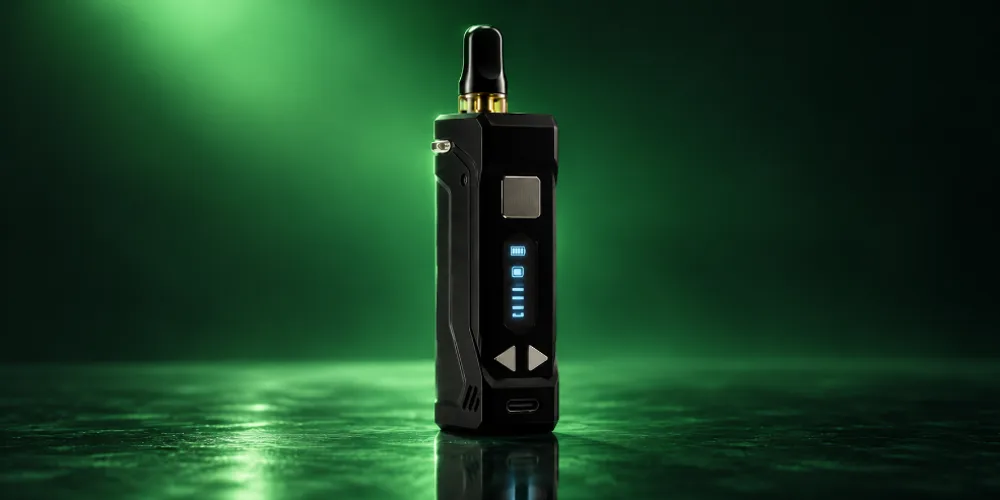
The Yocan UNI Pro is an adjustable 510 box battery with an OLED screen. Press the power button five times to turn it on, use the left and right buttons to change voltage in 0.1V steps, and press the power button twice for preheat. Twist the aperture and set the height so almost any cartridge fits inside.
Key takeaways
- Five fast presses of the power button turn the UNI Pro on. Two presses start preheat.
- The left and right buttons change voltage in 0.1V steps. The UNI Pro 2.0 runs from 1.8V to 4.2V, according to Yocan.
- The chamber adjusts for both width and height, so most refillable and pre-filled carts fit.
- Most problems come from an overtightened magnetic ring, a dirty connection or a low battery.
What comes in the Yocan UNI Pro box?
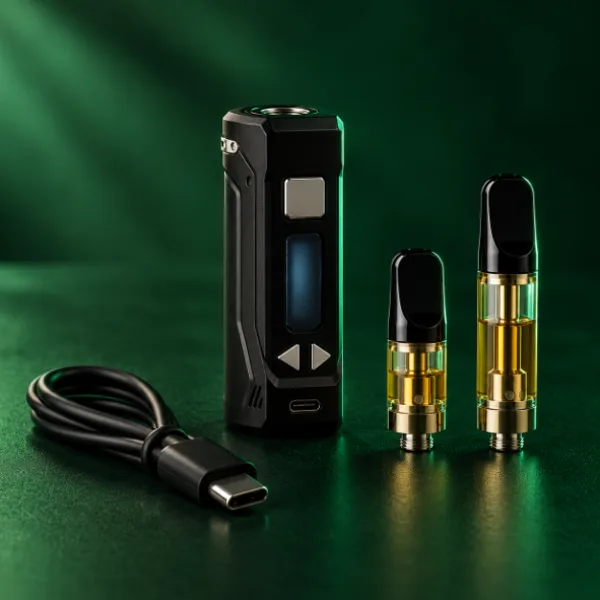
For the UNI Pro 2.0, Yocan lists the box mod, a magnetic 510 ring, a USB-C charging cable and a user manual. The cartridge is sold separately.
Device
UNI Pro 2.0 box mod
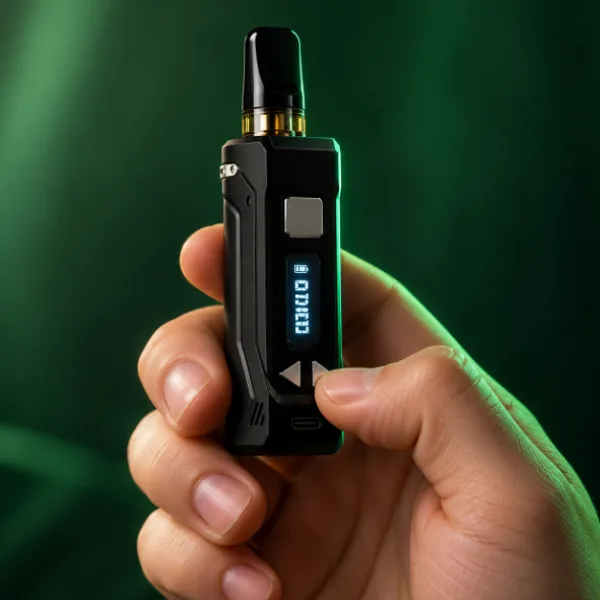
Zinc alloy body with an OLED screen, a square power button and two voltage buttons.
Adapter
Magnetic 510 ring
Screws onto your cartridge and snaps the cart into the chamber.
Charging
USB-C cable
Charges from a computer or a wall adapter. The port sits below the buttons.
Docs
User manual
Covers setup, preheat and voltage. Yocan also hosts it online.
| Spec | Yocan UNI Pro 2.0 |
|---|---|
| Battery | 650mAh |
| Voltage range | 1.8V to 4.2V, in 0.1V steps |
| Preheat | Constant 1.8V |
| Charging | USB-C |
| Height | About 75.5mm |
| Body | Zinc alloy |
| Display | OLED: battery, voltage, resistance |
| Fit | Adjustable width and height for 510 carts |
How do you use the Yocan UNI Pro?
Fit the magnetic ring to your cart, adjust the chamber, power on with five presses and pick your voltage. Then press and hold the power button to draw.
Yocan UNI Pro instructions, from unboxing to your first draw, based on Yocan’s published manuals.
Total time: 5 minutes
-
Charge first
Charge the battery fully with the included USB-C cable before first use.
-
Attach the magnetic ring
Screw the magnetic 510 ring onto your cartridge until snug. Do not overtighten it, since that can loosen the threads.
-
Adjust the width
Twist the aperture adjustment so the chamber matches the width of your cartridge.
-
Set the height
Choose the low, medium or high height setting so the mouthpiece sits at the right level.
-
Insert the cart
Slide the cartridge into the chamber until the magnetic ring seats on the connection.
-
Power on
Press the square power button five times quickly. The OLED screen lights up.
-
Choose your voltage
Press the left button to lower the voltage or the right button to raise it, 0.1V per press. Release and the setting is applied.
-
Draw
Press and hold the power button while you inhale.

Fits nearly every cart
Get the Yocan UNI Pro 2.0
650mAh, 1.8V to 4.2V, preheat and an adjustable chamber. Free US shipping over $49.99.
What voltage should you use on the Yocan UNI Pro?
Start near the low end and raise it 0.1V at a time until the flavor and vapor suit you. If you taste burning, lower it.
Thin oils usually work at lower settings, and thick oils may need a little more power or a preheat first. The OLED screen shows your current voltage and the cartridge resistance, which helps you see what you are running. Yocan lists the UNI Pro 2.0 range as 1.8V to 4.2V on its UNI Pro 2.0 product page.
How do you turn on preheat?
Press the power button twice. On the UNI Pro 2.0, preheat runs at a constant 1.8V, and two more presses stop it.
Use preheat when the oil is thick, the room is cool or the cart has not been used for a while. It warms the oil gently so the first draw is smooth.
How long does the Yocan UNI Pro take to charge?
Yocan does not publish an exact charge time. Charge with the included USB-C cable from a computer or wall adapter and unplug once the battery icon shows full.
With a 650mAh battery, Yocan says the UNI Pro 2.0 can last a day or two depending on use. Charge before the battery runs completely flat and avoid leaving it on the charger for long periods.
Why is my Yocan UNI Pro blinking or not hitting?
Yocan does not publish a blink code chart for the UNI Pro. In practice, blinking or a dead hit usually points to a low battery, a poor cartridge connection or an overtightened magnetic ring.
| Symptom | Likely cause | Try this |
|---|---|---|
| Screen will not turn on | Battery is flat or device is off | Charge it, then press the power button five times |
| Cart not reading or blinking | Loose, dirty or overtightened connection | Unscrew the ring, wipe the threads, reattach snugly, not tight |
| Weak or no vapor | Voltage too low or oil too thick | Raise voltage 0.1V at a time or use preheat |
| Burnt taste | Voltage too high | Lower the voltage |
| Cart will not fit | Chamber not adjusted | Twist the aperture and change the height setting |
If a cart still will not hit, see our guide to fixing a clogged cartridge.
More Yocan
Shop Yocan
Box batteries, pen batteries and accessories. 100% Authentic from top brand names.
How do you clean and care for the UNI Pro?
Wipe it with a dry paper towel, keep the connection clean and use the charger that came with it. Do not overfill refillable carts, and check that pre-filled carts have a clear mouthpiece.
Frequently asked questions
How do you turn on a Yocan UNI Pro?
Press the square power button five times quickly. The OLED screen lights up to show the device is on. From there you can change the voltage with the left and right buttons and press the power button twice to start preheat. Press and hold the power button to draw from your cartridge.
How do you change the voltage on a Yocan UNI Pro?
Use the two directional buttons below the screen. The left button lowers the voltage and the right button raises it, 0.1V per press. Release the button and the new setting applies automatically. The UNI Pro 2.0 adjusts between 1.8V and 4.2V, according to Yocan.
Why is my Yocan UNI Pro blinking?
Yocan does not publish blink codes for the UNI Pro, but blinking usually means a low battery or a poor cartridge connection. Charge the battery, then remove the cart, wipe the threads and reattach the magnetic ring snugly without overtightening. Try a different cartridge to see which part is the problem.
What size cartridges fit the Yocan UNI Pro?
The UNI Pro adjusts for width with an aperture and for height with low, medium and high settings, so it fits most 510 cartridges, including many 0.5 gram and 1 gram carts. Yocan describes it as fitting almost all oil cartridges, both refillable and pre-filled.
How long does a Yocan UNI Pro battery last?
The UNI Pro 2.0 has a 650mAh battery, which Yocan says can last a day or two depending on how often you use it and the voltage you run. Higher voltage and frequent use drain it faster. Charge it before it runs completely flat to help the battery last.
100% Authentic from top brand names
Browse 510 batteries
Free US shipping over $49.99, $9.99 flat under that. Ships within the USA to adults 21+.
Get the most from your UNI Pro
Fit the ring snugly, adjust the chamber, start low on voltage and use preheat for thick oil. Ready to buy or compare? Browse all 510 thread batteries or pick up the Yocan UNI Pro 2.0.